
Description
You can set up email notifications for any question you are interested in. When the close ended question is answered as you have defined, a CSV report is sent to the email address that you have specified and allow you to act on the given answer.
You can set the frequency of the email notifications to daily, weekly, or monthly. This helps you to avoid large number of emails at random intervals; you get a CSV report with all matching answers once a day or once a week or once a month.
Use Case Example
Expedite your reaction to extreme answers.
When you get the email, you can assign another survey to the respondent who gave this answer for follow up or even reach out to them personally (using live chat or video call – ask your Relations Manager more about this!).
How to set it up
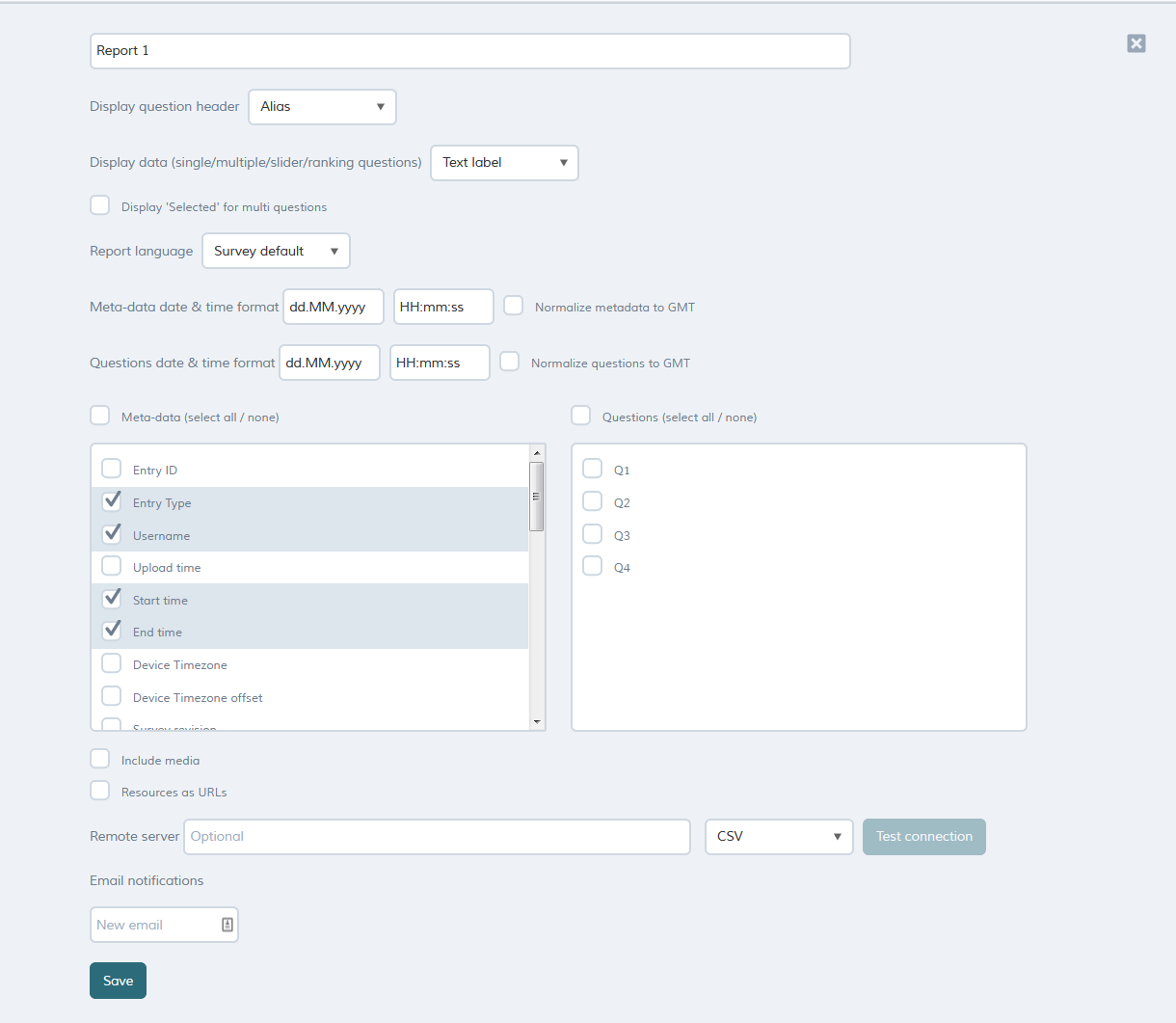
When you start typing the email address, more configurations will appear ..
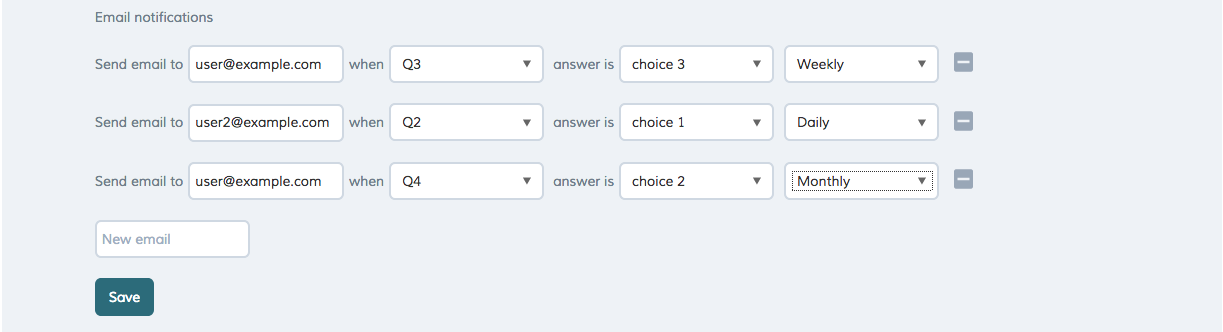
Configurations
| Name | Description |
| Send email to | Enter a valid email address. |
| When | Close-ended question alias. The dropdown will show applicable questions only. |
| answer is | Choice label |
| Frequency | How often do you want the notification to go out; daily, weekly, monthly. |
Frequency
| Frequency | Description |
| Daily | Every day at 01:00 GMT; all data received by then. The past 24 hours. |
| Weekly | Every Monday at 01:00 GMT; all data received by then. The past 7 days |
| Monthly | First Day of the month at 01:00 GMT; all data received by then. The past month. |
Note: Media files are not included in the email but you can configure the report to show Resources as URLs which will give you a URL to each file on the report.