This article covers these topics:
About feedback question
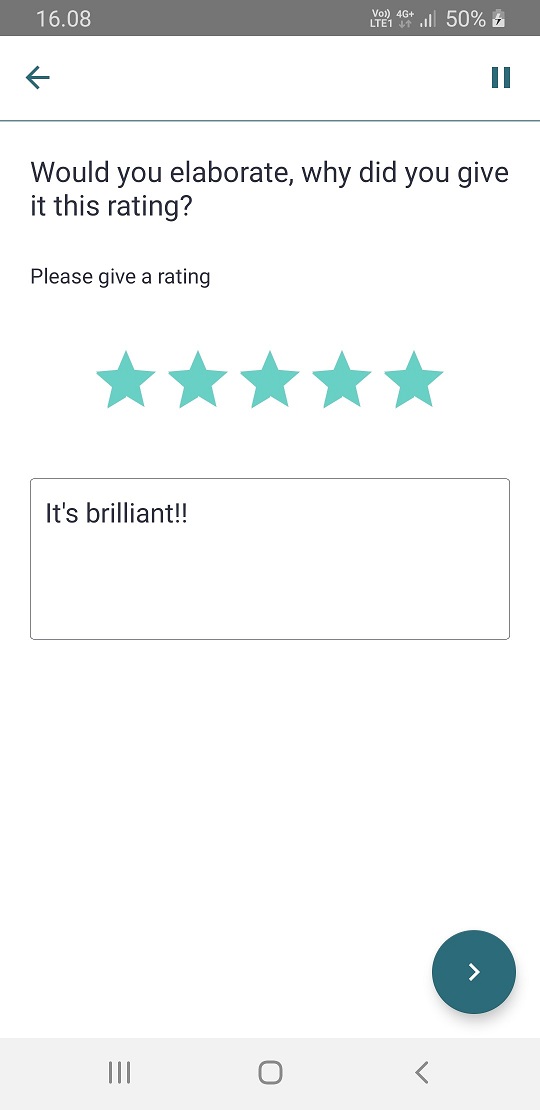
Feedback question consists of 5 star rating and an open text field for elaborating. The question text shown below is displayed above the text field. Same rules of the Open Text Questions apply here.
The various options for this questions are described below. Once you have finished creating or editing your question, you will need to save it to continue editing your project. To do so, simply click done/Save.
Question options
By default, the star rating is required and the open text field is optional. You can make the whole question optional by ticking 'Feedback rating optional response'. To make both parts of the question mandatory you can define a number larger than 0 in Minimum characters and leave the tick box for Feedback rating optional response unticked.
| Option |
Description |
| Minimum characters | Defines the minimum number of characters allowed for the response. Entering a number larger than 0 will make the text response mandatory. |
| Maximum characters | Defines the maximum number of characters allowed for the response. |
| Feedback rating optional response | Makes this question optional and enables the Next button at all times. |
| Disable back button | Prevents the respondent from going back to previous questions. |
| Next button options |
Always show - Next button is shown right away. Delay for - Allows delaying of the Next button so it appears 'X' seconds after arriving at the question. |
What it looks like in the app